

Attendance Tracking for Field Teams
Attendance tracking software for cleaning, security, facility and care teams. Check in and out by QR code, NFC or beacon — with real-time visibility, automatic alerts and audit-proof records of who was where, and when.
From start-ups to enterprises – using LiteLog.





What is attendance tracking?
Attendance tracking is the practice of recording — and verifying — when employees are present at a work site. Modern attendance tracking software replaces paper sign-in sheets, Excel logs and stand-alone punch clocks with a cloud system that captures every check-in and check-out together with location, shift and a tamper-resistant timestamp.
For distributed field teams, the key question is rarely how long someone worked. It is whether they showed up at the right site, at the right time.
- ✓Real-time visibility: dashboards show who is on site, who is missing, and which shifts are uncovered.
- ✓Site-aware check-in: each timestamp is tied to a physical location, not just a clock.
- ✓Automatic alerts: missed check-ins trigger notifications, escalations or phone calls.

Attendance tracking vs. time tracking
The two terms are often used interchangeably, but they describe different problems:
- ✓Time tracking answers: How many hours did this employee work?
- ✓Attendance tracking answers: Did this employee show up — at the right site, at the right time — and is the planned shift covered?
- ✓In practice: time tracking is enough for office staff with a fixed desk; attendance tracking is essential for field teams who rotate across multiple sites.
Built for field teams: cleaning, security, facility, care
LiteLog is purpose-built for industries where employees move between sites and supervisors cannot see every check-in in person.
- ✓Cleaning companies bill clients per location and need proof that the team actually arrived — at the staircase, the office floor, the outdoor area.
- ✓Security firms rotate guards across patrols and need alerts the moment a check-in is missed at night or on weekends.
- ✓Facility service providers cover several buildings per day, with structured handovers and photo documentation per stop.

How attendance tracking with LiteLog works
Setup takes less than a day. The workflow on the ground is unchanged from the first shift on:
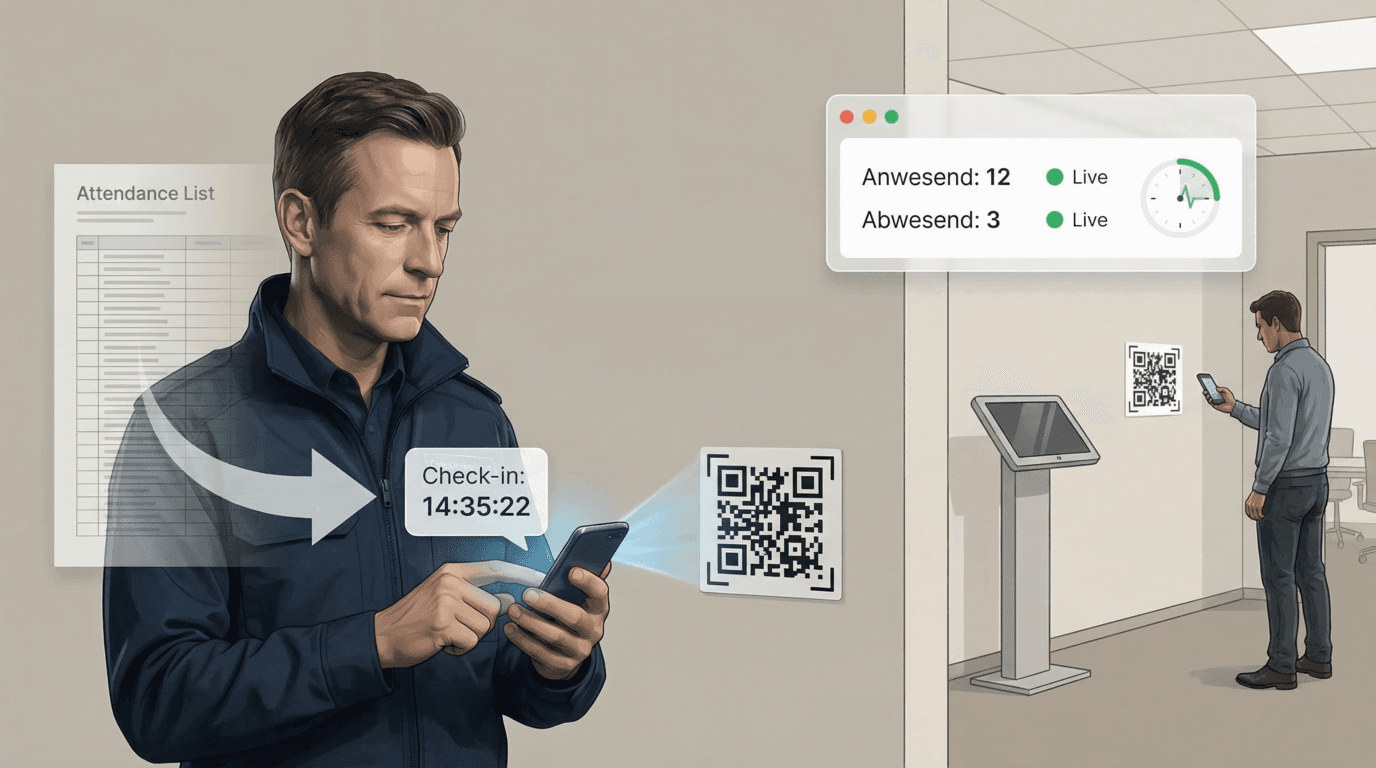
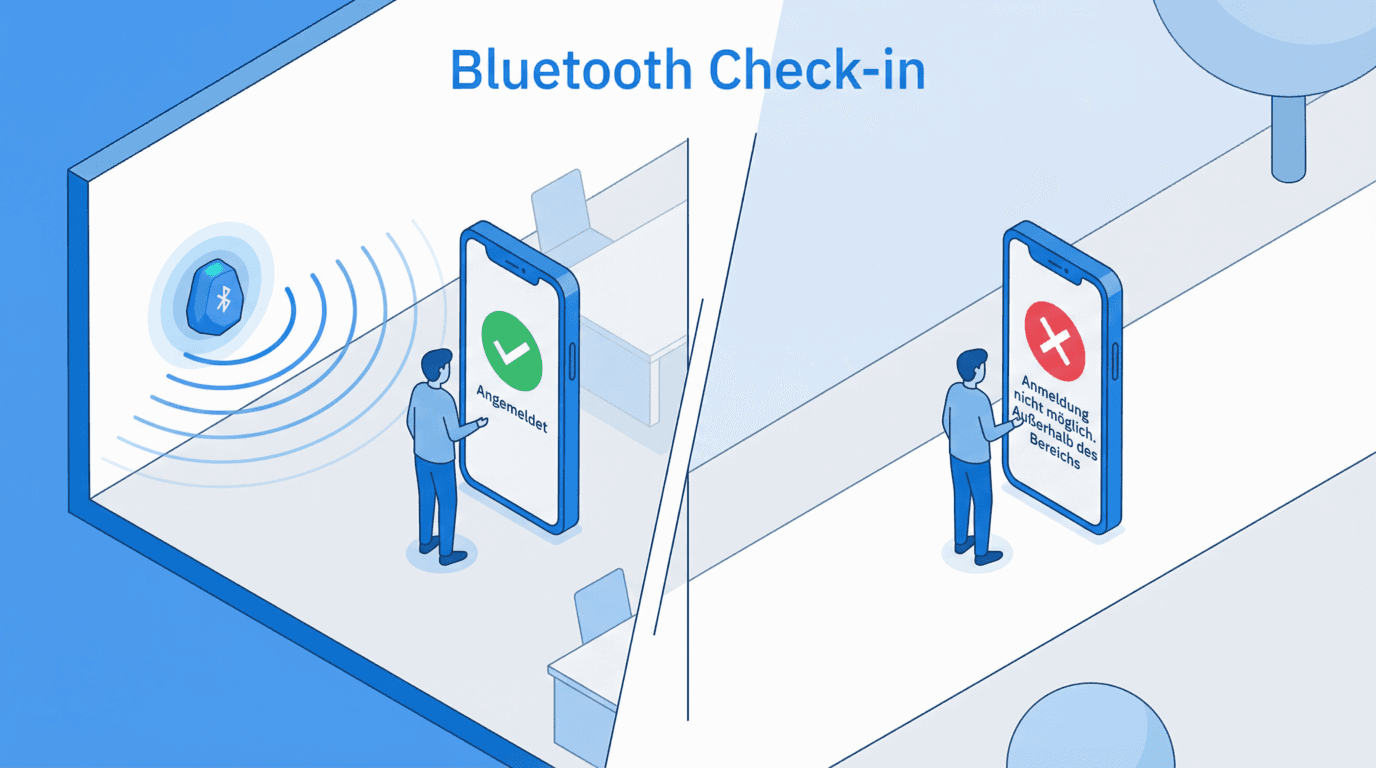
- ✓1. Check in on site: employees scan a printed QR code, tap an NFC tag, or step into the range of a Bluetooth beacon.
- ✓2. Automatic capture: person, location, shift and timestamp are recorded — no additional input required.
- ✓3. Live dashboard: supervisors see in real time who is checked in and which shifts are covered.

Why teams switch from spreadsheets and punch cards
Compared with paper sheets, Excel files or basic punch clocks, attendance tracking software delivers measurable benefits:
- ✓Tamper-resistant: site-specific QR codes and signed NFC tags cannot be stamped from home.
- ✓No manual data entry: timestamps flow straight into payroll, billing and reporting.
- ✓Live status: supervisors see coverage in real time, without calling around.
Privacy and GDPR
Attendance tracking processes personal data, so privacy controls matter. LiteLog is built for European compliance from the ground up.
- ✓Hosting in Frankfurt, Germany — no cross-border data transfer.
- ✓TLS in transit, AES-256 at rest — encryption end-to-end.
- ✓No biometric data: presence is verified by QR, NFC or beacon, not by fingerprint or facial recognition.
Related features
Attendance tracking is one part of a connected LiteLog platform. The following features extend the workflow:
- ✓Time tracking via QR code — working hours, breaks and shift logic
- ✓Patrols and checkpoints — for security and facility teams
- ✓Alerts on deviations — escalation chains for missed check-ins
Questions about attendance tracking software, mobile apps and field-team workflows
Attendance Tracking FAQ
What is attendance tracking software?
Attendance tracking software records when employees start and end work, where they are when they check in, and whether they showed up at all. Modern systems run in the cloud, capture check-ins via QR code, NFC or beacon on a smartphone, and replace paper timesheets, Excel files or punch cards. The output is a tamper-resistant record of who was where, and when.
What is the difference between attendance tracking and time tracking?
Time tracking records how long someone worked. Attendance tracking adds a layer on top: it verifies whether the planned shift actually happened — by linking each check-in to a site, a shift and an alert if someone misses their start time. For distributed field teams in cleaning, security, facility services or care, attendance tracking is the more useful approach.
Which industries benefit most from attendance tracking software?
Industries with field teams and multiple sites benefit most: cleaning companies that bill per location, security firms with rotating guards, facility service providers covering several buildings per day, and home-care or in-home health teams. In all four, the question is the same: was someone really on site — and when?
Does attendance tracking software work offline?
Yes — the LiteLog mobile app stores check-ins locally when there is no connection (basements, technical rooms, rural sites) and syncs automatically as soon as the device is online again. No data is lost, and timestamps remain accurate.
How do mobile attendance tracking apps prevent buddy punching?
Buddy punching is prevented by tying check-in to the physical location: site-specific QR codes are printed on site, NFC tags are cryptographically signed, and optional beacon verification confirms that the smartphone is actually within range. Unlike biometric clocks, this works without storing fingerprints or facial data.
Is attendance tracking software GDPR compliant?
It can be — but only if data is hosted inside the EU, access is restricted by role, and processing is transparent. LiteLog hosts in Frankfurt, encrypts data in transit and at rest, and does not store biometric features. A standard data processing agreement (DPA) is available.
What hardware do I need for attendance tracking?
In most cases, employees use their existing smartphone — iOS or Android — and print QR codes on-site. NFC tags, beacons and kiosk terminals are available as optional accessories, but no server installation is required. Setup typically takes less than a day.
How is attendance tracking software priced?
Pricing models vary: per employee, per site, or per active user. LiteLog charges per site rather than per employee, which keeps costs predictable for distributed field teams. A 14-day free trial is available without a credit card.
Ready to experience LiteLog?
Book a demo or start your free trial.