Time Tracking App — The Digital Alternative to Punch Clocks and Spreadsheets
A time tracking app replaces manual methods like punch clocks, paper timesheets, and Excel lists. Employees clock in and out by smartphone. Hours, breaks, and locations are documented automatically — accurate, tamper-proof, and available in real time.
What Is a Time Tracking App?
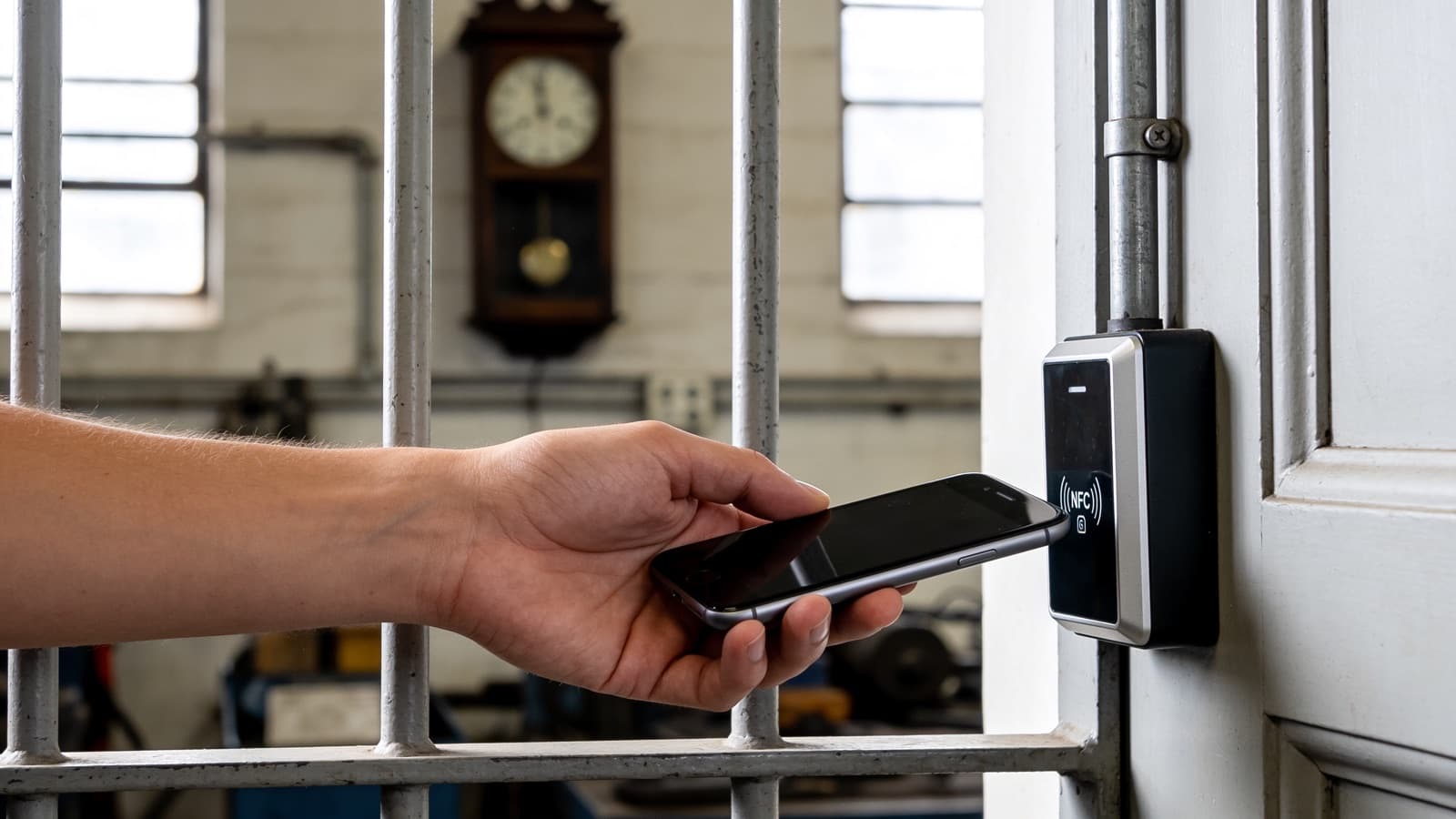
A time tracking app records working hours digitally. Instead of writing times on paper or typing them into spreadsheets, employees use their smartphone. A tap on a QR code, an NFC tag, or a GPS-verified button is enough. The data flows directly into a central dashboard.
The result: no more illegible handwriting, no forgotten entries, no manual transfer errors. Managers see at a glance who is working where and when.
Why an App Instead of Excel or Punch Clocks?
Manual time recording creates problems. Excel sheets are error-prone and easy to manipulate. Punch clocks are stationary and expensive. Paper lists get lost or arrive late at the office.
A time tracking app solves these issues:
- Accuracy — Times are recorded to the second, with location and device information.
- Availability — Data is accessible in real time, from any device.
- Compliance — Digital records meet EU requirements for systematic time recording.
- Efficiency — No manual data entry, no paper, no follow-up corrections.
What Features Should a Good Time Tracking App Have?
Not every app is suitable for professional use. A checklist for evaluation:
- NFC / QR check-in — Fast, forgery-proof clock-in at the workplace.
- GPS verification — Confirms the employee is at the correct location.
- Offline mode — Works reliably in basements, garages, or areas with poor signal.
- Automated reports — Export as PDF or Excel, audit-proof and ready for payroll.
- GDPR compliance — Hosting in Europe, encrypted transmission, role-based access.
- Shift planning — Assign shifts, monitor minimum staffing, track attendance, and evaluate punctuality automatically.
- Multi-language support — Essential for international teams.
Which Industries Benefit Most?
Time tracking apps are useful wherever teams work across multiple locations:
- Security services — Combine patrol documentation with attendance records.
- Cleaning services — Document completed tasks and hours per location.
- Facility management / caretakers — Track hours across buildings and clients.
The common thread: distributed teams, compliance obligations, and the need for real-time visibility.
Free Time Tracking — What Do Free Apps Offer?
Free apps cover the basics: start, stop, break. That works for freelancers or very small teams.
For companies, free versions fall short. Typical limitations:
- No NFC or QR check-in
- No GPS verification
- Limited or no reporting
- No GDPR-compliant hosting
- No shift planning or multi-site support
If you need audit-proof records, automated reports, or compliance features, a professional solution is the better choice.
LiteLog as a Time Tracking App
LiteLog combines attendance tracking with a full digital punch clock in one platform. Key advantages:
- No special hardware — any standard smartphone is enough.
- NFC, QR, and GPS — flexible check-in methods for every situation.
- Offline-capable — data is stored locally and synced automatically.
- GDPR-compliant — hosted in Germany, encrypted, role-based access.
- Real-time dashboard — see who is where, right now.
- Automated PDF reports — audit-proof, ready for clients and payroll.
- 15 languages — built for international teams.
Conclusion
A time tracking app saves time, reduces errors, and meets legal requirements. For companies with distributed teams, it replaces punch clocks, Excel, and paper — with a single, reliable system. LiteLog delivers all of this from one smartphone, ready to use in minutes.