96%
Trusted by companies

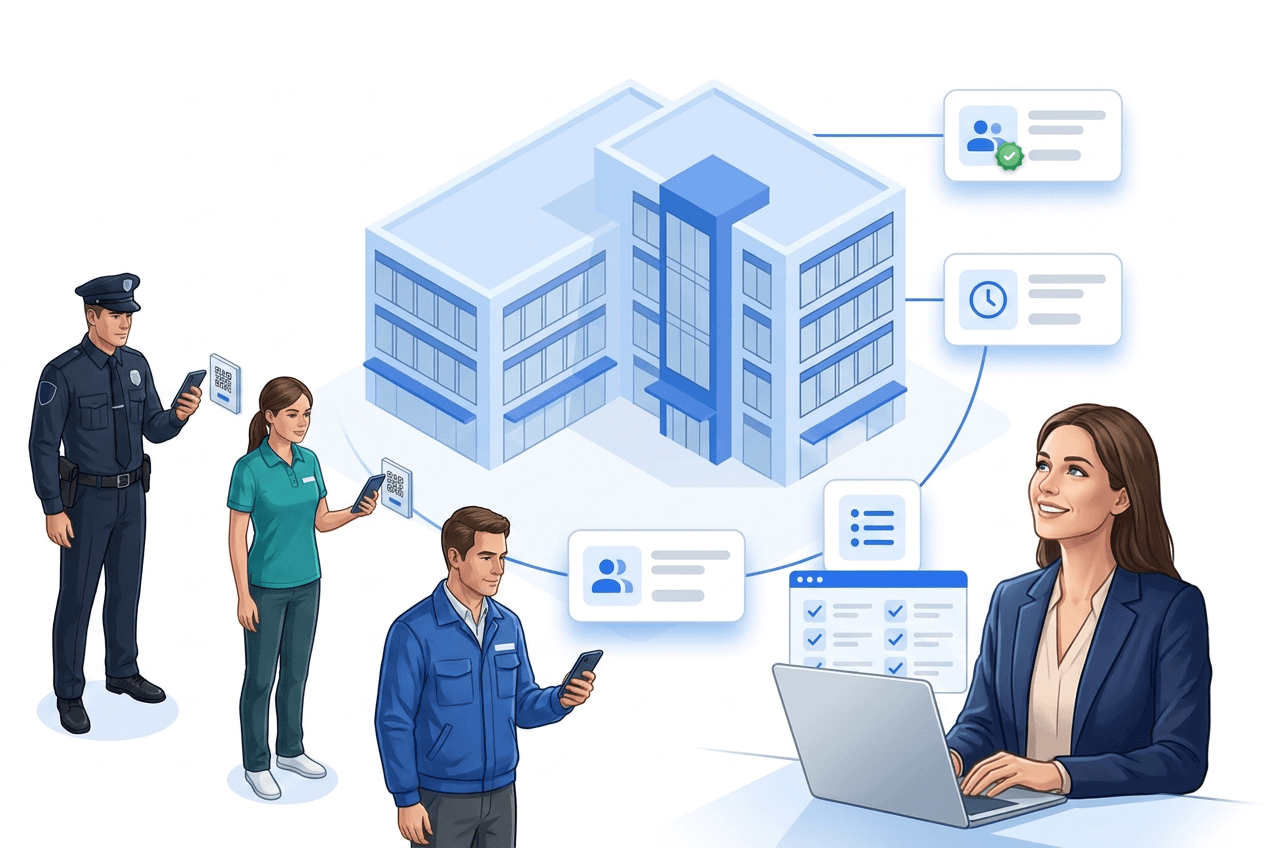
Time tracking that happens by itself: an invisibly mounted Bluetooth beacon on site detects arrival – the app automatically suggests clocking in. No scanning, no continuous GPS tracking, hardly any battery use.
The right LiteLog solution with workflows, benefits, and real-world examples.
Workflows tailored to your industry
Features that simplify daily operations
Insights from real deployments
QR and NFC tracking are reliable but demand an action every single time – whoever is in a hurry forgets to clock in; GPS jumps around in basements and stairwells and drains the battery when tracking continuously. LiteLog therefore uses a small radio anchor on site that triggers tracking automatically as soon as the person is actually there.

A beacon is a small Bluetooth transmitter, barely larger than a matchbox: glued in place once at the entrance, in the supply room or at the gate, it runs on a battery for years and broadcasts an identifier within a range of a few meters. When an employee with the LiteLog app comes into range, their phone automatically suggests clocking in – one tap, the time is running, and that same moment doubles as proof that the person is actually on site.
With the beacon, arriving itself becomes the trigger: the app suggests clocking in, automatically assigns the timestamp to the right site and at the same moment shows what is due there – open tasks, the upcoming tour, the inspection form. The same principle applies to clocking out when leaving; every clock event is stored audit-proof in the same time tracking as all other methods.
QR codes remain the fastest start without any hardware, NFC tags are the robust choice for checkpoints and ID cards, GPS fits open areas and outdoor sites with a buffer zone – as a time tracking zone, entering even clocks people in automatically and leaving clocks them out, as long as the app is open. The beacon takes over where clocking happens frequently, GPS does not reach, or the scanning ritual gets lost in everyday work. All methods can be combined freely – even within one team and one site – and write into the same evaluation.

The beacon does not locate anyone: it only broadcasts an identifier that the employee's phone recognizes at close range – only clock-in and clock-out at the work site are recorded, and no movement profile or location history is created. All data is stored on servers in Germany, processing is GDPR-compliant, and a data processing agreement under Art. 28 GDPR is included – arguments that convince works councils and teams alike.

LiteLog offers a free 14-day trial with the full feature set – no payment details and no setup costs; QR and GPS tracking work immediately. For the beacon method we advise you on suitable hardware and placement and set up the first site together with you.

More than 10 years experience in this industry
Digital guard control and time tracking for 20+ nationwide sites
Read the customer story →Burak Kocademir Security Services
Read the customer story →Integrations
Hannah fits seamlessly into the software your company uses every day — calendar, CRM, messenger, and of course LiteLog.


Clock in, break, clock out — one QR scan at the site is enough. Unlike plain time tracking, LiteLog also documents where the work happened: every stamp carries time, location and user, and becomes solid ground for payroll and client invoicing.
Learn more aboutLiteLog's attendance tracking app replaces paper lists and Excel: check-in in the app via QR code, NFC tag or button, without the app in the browser or on a tablet — tamper-proof with time and location. You see live who is on site right now; in an emergency, one click turns it into the evacuation list.
Learn more aboutAre all sites covered? How many patrols ran last night? Every user builds their own KPI dashboard via drag and drop — tiles for attendance, hours, patrols and reports, with a live map and live attendance.
Learn more aboutYour client should see patrol reports — but certainly not your payroll data. Roles define exactly who sees what: staff see their shifts, site managers their sites, clients only the reports you release.
Learn more aboutUnderground car park without signal, basement without WiFi: the app captures scans and reports offline too and syncs automatically as soon as the connection is back. Access anytime via app, browser or terminal — no servers of your own.
Learn more aboutYour team speaks Polish, Ukrainian or Turkish? Every employee uses the app in their own language — the same report appears to the site manager in yours. 15 languages for interface, emails and reports.
Learn more aboutOur Standards

We comply with GDPR. Your data stays in Germany and we guarantee the highest security standards.

Your data is securely hosted on German servers, protected by strict German data protection laws.

Backoffice works on any computer in the browser. We support iPhone and Android devices.
FAQ
A beacon is a small Bluetooth transmitter, about the size of a matchbox. It is glued in place at the work site and broadcasts an identifier within close range. When an employee with the LiteLog app comes into range, the app automatically suggests clocking in – one tap, and working time is running, assigned to the right site.
No. The beacon is battery-powered – the battery typically lasts several years – and needs no network connection at all. It is mounted once and is low-maintenance afterwards.
No, the principle is reversed: the beacon only broadcasts an identifier, and the employee's phone recognizes it at close range. No movement profile and no location history are created – only clock-in and clock-out at the work site are recorded.
GPS is too inaccurate inside buildings – in basements, underground garages or utility rooms the position jumps by many meters. Continuous locating also drains the battery and raises privacy concerns. The beacon only works within a few meters: precise proof, minimal battery use, no tracking. For open areas there is still an automatic option via GPS: a time tracking zone clocks people in on entering and out on leaving – that does require an open app, which makes it the answer for open sites, not for stairwells.
No, it complements them. QR remains the fastest start without hardware, NFC the robust choice for checkpoints. The beacon is the comfortable level above, where clocking happens frequently or GPS does not reach. All methods can be combined freely and write into the same evaluation.
Yes. As soon as the app has recognized the site, it shows what is due there: open tasks, planned tours and the site's forms – for example a visual inspection or a windows-and-doors check. "Having to remember" becomes "being reminded".
Beacon tracking is part of the LiteLog app and included in all plans; you only need the beacon hardware (standard Bluetooth beacons from a few euros each). During the free 14-day trial we advise you on suitable hardware and placement.
End manual lists – LiteLog digitises attendance, patrols and visitor management.
100% GDPR compliant – hosted in Germany 🇩🇪